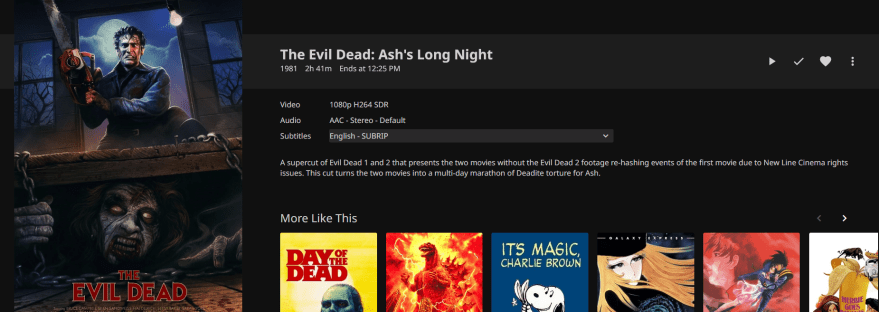
Well over a year ago I wrote my first article in this series charting my media server journey, and showing how you can do it to what I built to create my Jellyfin server.
In that time, I’ve gone from using an off-the-shelf NAS to building an actual full-fledged media server, so I feel more comfortable writing with some level of “amateur but I know what I’m doing” expertise. For those of you interested in hardware, I intend on making a future installment of this series specifically about hardware I purchased, a build guide I found, and what I’d do differently if I was starting from scratch. That said, my gut says the next piece will be specifically about how one sources media for their media server (legally, before you get too excited).
If you’re thinking about building a media server of your own with a fun app to access the media inside (e.g. Jellyfin, Emby, Plex, etc.), please read this article with the knowledge that you absolutely can do it. When I started this adventure I had run maybe three SSH commands in my life. Things can be intimidating, but it will work out. There’s thousands of people who’ve done this before and carefully documented the process for you. I promise.
What follows is an exhaustive list of software and websites I use to make my media server really shine. Let’s dig in.
unRAID
At the bedrock, the foundation of the house, I use unRAID as an operating system. It’s a linux-based program that’s perfect for running a media server, splitting data amongst an array of hard drives. We’ll get more into unRAID and why I chose it in the article about building the server itself. Suffice it to say: unRAID lets me access my media server from a browser-based UI that I can connect to whenever on my local network. No need to keep a monitor and mouse dedicated to the physical server (which I keep next to our router, plugged in via ethernet).
In addition to the basic Jellyfin install, there are a few tools I use to rip and sort media. In true old-school software fashion, all of the websites for them look handmade and a little suspicious if a trusted source doesn’t explicitly tell you “this is a real tool.” I would like to be that source for you today. Everything I’m about to mention is legit and I have used for dozens of hours, minimum.
Jellyfin

The superstructure of the house that is this server is how I actually access the media once it’s all done and ready for consumption.
A lot of people use Plex. Jellyfin is one of the biggest contenders for replacing what Plex used to do.
I covered Jellyfin at length in the first article but suffice it to say: it’s served me pretty well. That said, it’s open source and maintained by an army of volunteer developers. I’m a particular niche case in that I almost exclusively access my Jellyfin server with Roku devices, which is maintained by an even smaller subset of Jellyfin devs.
As of publishing this, the only fundamental problem I’ve had in over a year of using Jellyfin happened this week when a new update fucked video playback for everyone on Roku. The issue was quickly flagged and the team got a patch out within two days rectifying the issue. I highly recommend the Jellyfin Forum (built to replace the read-only subreddit) for guides, questions, and just hanging out around media-minded people.
Symfonium

It might shock you to hear the person who is big on physical media and customizing tech is an Android user when it comes to phones. Please hold your applause until after the presentation.
While you technically can listen to music in Jellyfin, I’ve yet to age enough where “put some music on the TV” is an impulse I regularly have. I want my stuff on the go in a package that emulates what I used to have with Spotify and what i currently have on Youtube Music, but with my own locally-owned music library.
Symfonium is a single-purchase $5 app built to access your library of music in whatever form it might be. Mine is currently pointed at the Jellyfin server I park all my music files in, but if I wanted I could be simultaneously streaming music off a Plex server, Dropbox, Jellyfin, Emby, sky’s the limit. The app does an amazing job of emulating that streaming app feel by generating its own playlists based off metadata in your collection, as well as keeping tabs on what you play to keep your favorite songs top-of-mind and occasionally recommend stuff you used to listen to but haven’t touched in a while. I truly wouldn’t be surprised to learn Symfonium spits out a store-brand Spotify Rewind at the end of the year.
Obviously this power could be used for the kind of behavior that would enrage Lars Ulrich. One could get login deets from friends’ servers and daisy-chain a huge library of streaming music you never paid for. If you do that, that’s on you, I’m not your mom.
Also, frankly, I own enough music to not have enough time to listen to what I already have. This year the apartment’s vinyl collection reached that embarrassing stage of being so large it’s no longer safe to stack them vertically because the weight of the albums would crush the bottom-most record into dust.
I have a problem, and that problem is a lack of aesthetically-pleasing storage solutions for vinyl records.
MakeMKV
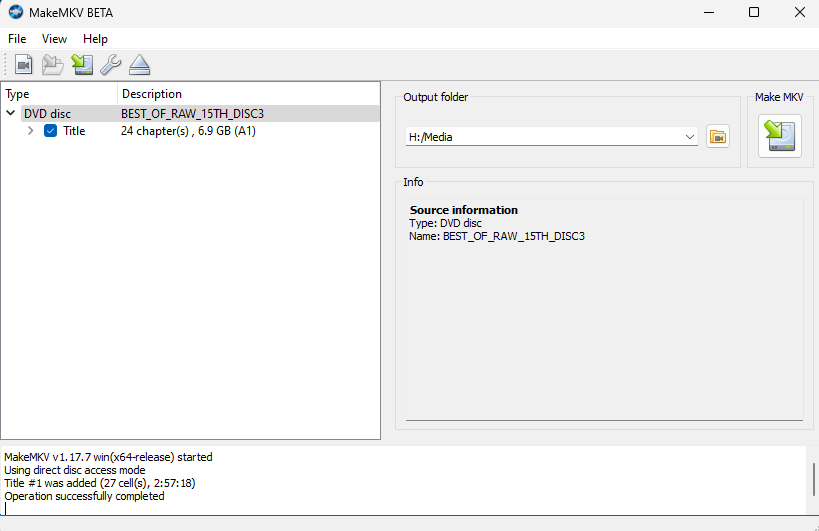
The MVP of my digital toolbox. The server simply would not have as much content on it if I didn’t have this at my disposal. It’s amazing. You pop a disc into your computer, load up MakeMKV, hit a button, then it’s like Beyblades baby: let ‘er rip.
MakeMKV is built with old-school philosophy in mind, specifically “try before you buy.” Currently it is in beta and free to use as long as you go fetch a new beta key from the official forums every few weeks. BUT it’s a mere $60 to buy the program outright and never have to futz with the beta key again, as well as support the developer.
With extremely little input on your part, the program takes all the files off a disk and rips them into MKV files that retain all subtitles and audio tracks. While I would not condone pirating paid media (especially in a public forum), I will just note that the simple act of ripping a bluray of A Series of Unfortunate Events (2004) is going to get you a better final product than the 720p YIFY rip you could yoink with a torrent client. Why? Because – unless you’re in some hyper niche private tracker situation, an anime fan, or (weirdly enough) a Taskmaster nerd – content pirates throw away anything they consider dead weight. No subtitles. No bonus features. No director’s commentary tracks. Just a shittly-transcoded version of the file where any shot with dark colors just looks like a mosaic of greys.
MakeMKV grabs all that stuff for you off the disc without breaking a sweat. The only thing you have to do is name the files. I’ve spent hundreds of hours ripping hundreds of DVDs and blurays using MakeMKV by this point. It is an absolute steal at $60.
But what if you’re ripping a season of television and you find yourself with a ton of generic file names instead of episode titles? Fret not, young media warrior: FileBot is here.
FileBot

I might not have continued my media server past the first couples of weeks if I had not fount Filebot. This is the lynchpin of the whole operation and that’s shocking given how compact it is.
FileBot is so useful it’s insulting. A simple program that lets you drag 12 files into one window, tell the program “that’s seven episodes of Deadwood season 1,” and bam, one button re-names all of them to exactly the kind of file type Jellyfin likes. I genuinely might have stopped doing this project had I not found
dBpoweramp CD Ripper
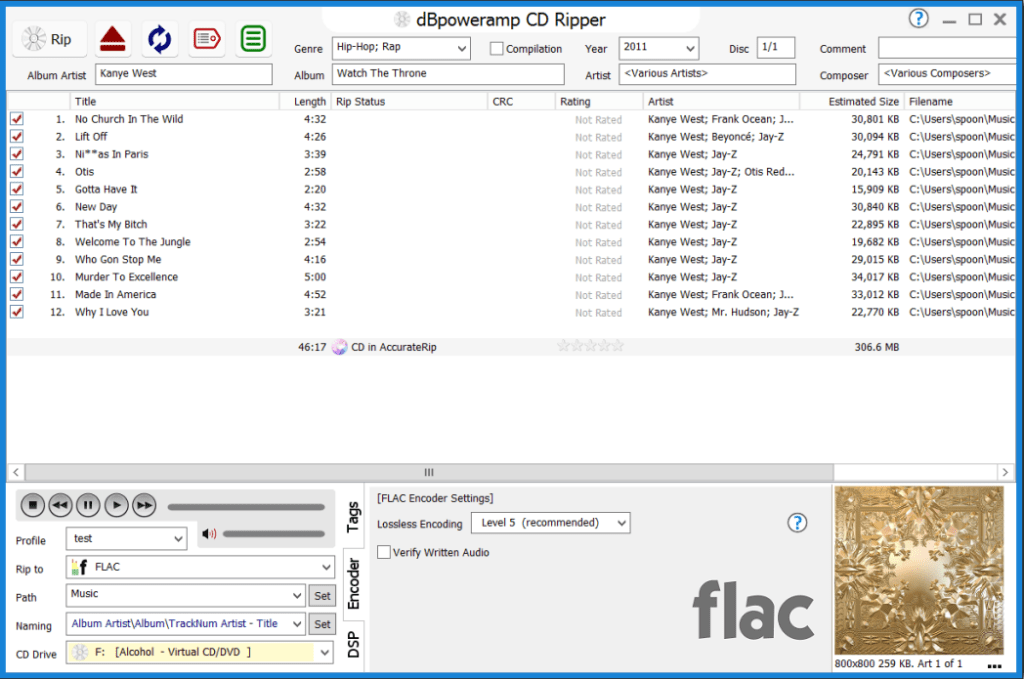
Like it or not, streaming music has fundamentally changed how audiences interact with music. Albums are batches of content to select hits from, not full experiences in the eyes of algorithms. Which is why it’s on you, the grown-ass adult who likes music, to keep hard copies of music you hold dear while also making it accessible like a streaming service.
That’s why I propose a good CD ripper is a sound investment. Every thrift store under the sun has a stack of CDs, or (if you’re lucky) someone’s old CD binder stuffed full of bangers.
dBpoweramp is, in my experience, a damn fine CD ripping machine. It’s got a free trial, followed by a personal license clocking in around $84. If you have a few albums you wanna save, the trial will do you. If you have a massive collection, the price of entry is well worth the time saved by not futzing around with a free malware-bloated ripper.
The process is easy, quick, and uses popular music metadata sources to match and fill out any metadata that might be missing. Indispensable for any music lover looking to make their collection accessible on a local server.
OpenSubtitles.com
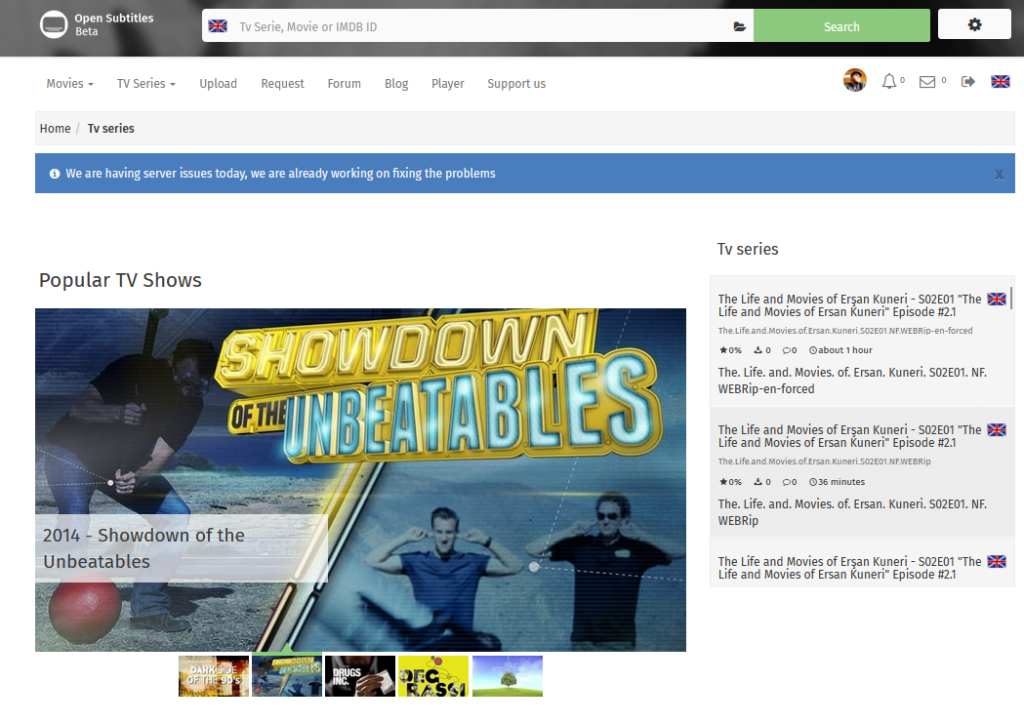
This website is a godsend. Even if you keep on the straight and narrow and just rip DVDs, sometimes movies simply do not have a subtitle track on the DVD (especially older titles). Sometimes the subtitle track is god-awful because the publisher cheaped out in funding closed captioning. Regardless, OpenSubtitles is an extremely affordable subscription to have virtually unlimited access to thousands of subtitle files. I’m paying $12 every six months for the ability to plug my login details into a Jellyfin add-on and let it quietly identify any media without English subtitles and then auto-download the best match from OpenSubtitles.
Subtitle Edit
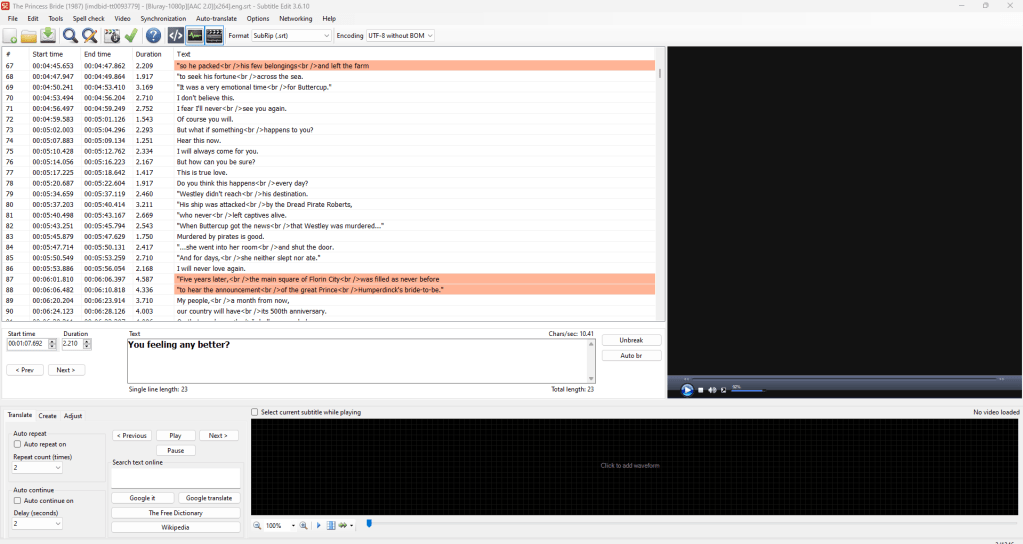
What if the file you have works, but your version of the DVD has an extra logo during the intro that offsets the subtitle timecodes from the file you just downloaded? Never fear, Subtitle Edit is here. Load in the subtitles, load in the video file as reference, use a visual sync tool to line up the first and last subtitle in the movie, and bam: you’ve just re-timed every single subtitle in the file to match the original timing.
If you wanna get really fiddly, you can manually go in and tweak works, replace fancy emoji that might not display right in Jellyfin, and in general customize the subtitle experience to your heart’s content.
Jellyfin Tip: Jellyfin supports all kinds of subtitle files, but that doesn’t mean the device you watch Jellyfin on necessarily does. Personally I’ve found the Android app for Jellyfin is extremely picky about any subtitle file that isn’t a basic .srt. Fancy schmancy fan subtitles for anime with color-coded titles for different characters tends to be a “only on our smart TV or browser” treat as a result.
DaVinci Resolve

This is a free, professional-grade video editing software. Don’t worry! This isn’t something you use OFTEN but the stuff I do use it for is fun as hell: Commentaries! Be they legally-questionable uploads that are clearly ripped DVD commentaries, to fan commentaries and comedy presentations, there’s all sorts of options for audio to play at the same time as a movie or TV show.
Your classic Rifftrax exists, of course, but there’s also outfits like Red Letter Media selling individual tracks, and the Black Check With Griffin and David that does entire movie franchises’ worth of commentary tracks for their Patreon.
Here’s my quick and dirty recipe for adding a commentary to a movie in Resolve:
1. Stack the movie and the commentary file in your timeline so the commentary is below the movie audio.
2. Find the sync point in the commentary track that lines up with the beginning of the movie. Trim the commentary audio to fit + sync with the movie. Ensure any extra audio at the beginning and end are cut off so the final audio file is still the exact same length of the movie’s native audio. This is going to mean you cut about 20 minutes of discussion out of any Blank Check commentary but these are the sacrifices we make.
3. Sidechain the commentary track to the main movie audio. That way, whenever the commentary is talking Resolve automatically brings down the movie volume. This is what actual DVD commentaries are mixed to do, and it allows the movie to come back to an audible level whenever there’s a gap in the commentary. Tweak the settings to your liking. It’s your choice, really.
4. Name the output file using Jellyfin audio naming standards, and render the project as an MP3.
Congrats, now whenever you go into Jellyfin you’ll find you have an audio option for that track! Once you’re in the groove this process can take like, five minutes tops, and you no longer have to futz with timing the track to the movie while also watching it.
Discussing Piracy
I can’t talk about media server maintenance without addressing the software most people tend to use. I could be cutesy and tiptoe around it but let’s just call a spade a spade here folks: it is not uncommon for people who know enough about using/building computers to torrent content.
Gasp in horror, I know.
I’m not here to convince you that torrenting media you don’t own is a bad thing. There’s a lot of hot air ready to be blown around about media preservation, piracy, and its impact on the creator economy. Nosferatu would not exist were it not for people keeping reels of it when they were supposed to destroy them.
I don’t particularly think downloading 480p iPod-friendly versions of every season of House: M.D. is on par with preserving silent film history, but it is undeniable fact that being a prude about media distribution is a net negative for art history and preservation. This article series is not a guide for illegally downloading media, but I would also be taking the coward’s way out if I wrote this without acknowledging I have built a house one street over from a neighborhood full of people who really enjoy doing it.
This hobby has a lot of Venn diagram overlap with people who download media spicily, for better or worse. And it’s no wonder, really. If someone in power snaps their finger, decades of man-hours spent making an artistic vision real can just disappear and only exist in the form of overpriced DVDs sold by scalpers on eBay.
Infinity Train, Final Space, take your pick as to which show I’m referencing there. There’s enough examples of memory-holing existing content that it’s actually a question which I’m referencing now 
Regardless of how you feel about it, the truth is that a hugely popular open source software suite exists and media server crowds love it.
The Arrs
So what are the Arrs? They’re billed as a family of open source PVRs (personal video recorders). They’re effectively pitched as sexy, legally-questionable-at-best TiVos for the 21st century. Programs that can track and automatically search for movies, TV shows, books, music, etc. that the creator has flagged as wanting. The connecting tissue of all the different programs is they all end in “arr.”
Get it?
Because pirate?
Yeah, you get it.
In practice, they’re software that allows one to monitor their media collection. It just so happens the software is set up so if it’s pointed at a torrent client and some indexes, you could hit two buttons and summon a shitty TV rip of your favorite WWE Raw match, or a 1080p fan-made AI upscale of Third Rock From the Sun. That said, the existence of the Arrs means there’s a program that’s AMAZING for accessibility reasons!
Bazarr
Bazarr is designed to be the thing that grabs subtitles for your downloaded movies and TV, but as a result it also work perfectly as your first line of defense against shitty subtitles on even legit physical media.
I mentioned the Jellyfin OpenSubtitles add-on earlier. I have it, and it has worked before, but it’s kind of a last line of defense for me. It kind of works but I wouldn’t only rely on it 100% to fill all my subtitle gaps. Bazarr is free, easy to set up, and does not require touching a single torrent client. Just tell it where your media is, tell it what your minimum accuracy rating is for a subtitle file, and tell it which subtitle websites to monitor. It’ll routinely scan your collection and fill in any gaps or add on versions of subtitles you want.
For example: a cheap DVD you ripped might only have a forced English subtitle track that is only subtitling characters speaking in a different language in certain scenes. Bazarr would see the Forced tag, understand you want full subtitles/subtitles for hearing impaired, and download a new file that covers the whole movie. Then you have two files to select from while watching it!
That’s about it… for now
Thank you very much for reading this far. I’ve been working on this piece for over a year, making it the article I’ve spent the most time on in my career as a writer. Which makes it all the more depressing that it’s a listicle.
Still, this was fun to make and I hope you gleaned some information that’ll help you consider the wide world of local media server! Hit me up on Bluesky @GavinGWhiz.bluesky.social if you have any questions or wanna show off your own server rig.

 Gavin Gaddis Reviews
1 thought on “Building My Personal Streaming Service: The Software”